

 LinkedIn
Run a buyer prompt through ChatGPT once and your brand may appear. Run it again and a competitor may take its place. One answer is a screenshot, not a baseline.
I treat AI visibility like a search terms report: collect the language buyers use, run each prompt repeatedly, and act on the rate at which my brand appears. This tutorial builds that system in Google Sheets. You will track 40 prompts across ChatGPT, Gemini, and Google AI Overviews, with five runs planned for every prompt-engine pair. That is 600 checks per audit cycle, provided each engine returns an answer you can evaluate.
Before you start: gather buyer language and a blank sheet
Prepare:
- A Google Sheet with tabs named
Prompt LedgerandWeekly Summary. - Access to ChatGPT with Search enabled, Gemini, and Google Search. Start each test in a fresh, unprimed session; do not carry a conversation between runs.
- Customer questions from CRM notes, sales objections, support tickets, or unbranded Search Console queries. Give yourself about 30 minutes to collect the raw language before you choose prompts.
The sheet itself is straightforward. The manual sampling is the work. Do not expect to complete 600 careful checks in the time it takes to set up the tabs.
At the end, you will have a mention rate, a citation rate, and a view of the commercial prompts where competitors appear and you do not. Those are observations from your runs, not a census of everything an engine might say.
Step 1: Mine 40 prompts from buyer questions
Action: In Google Search Console, open Performance > Search results, set the date range to Last 3 months, select Export, and download the query data. Look for questions and comparison language such as how, what, best, vs, and alternative. Cross-check those themes against ten raw objections from lost-deal notes or sales conversations. Keep the buyer’s wording where you have it; do not tidy every question into the same keyword template. Separate unbranded discovery from branded validation, as the brand visibility auditing framework suggests.
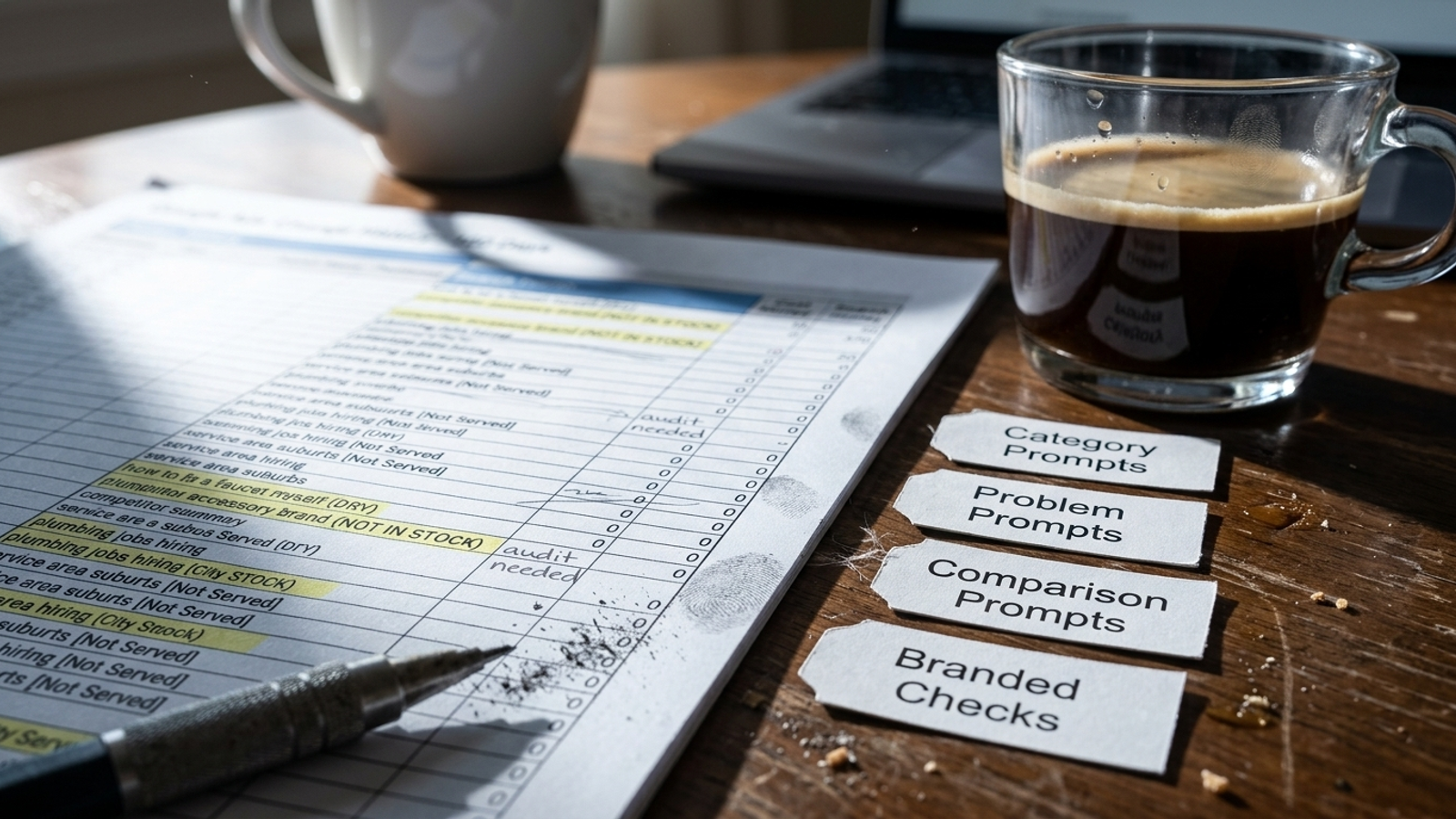
Put your chosen prompts in four buckets:
- Category — 12 prompts: Unbranded purchase questions, such as
best autonomous google ads software for ecommerce brands spending 20k. - Problem — 12 prompts: Operational questions, such as
how to fix rising cpc in pmax campaigns without cutting budget. - Comparison — 10 prompts: Head-to-head questions, such as
competitor a vs competitor b for b2b lead tracking. - Branded — 6 prompts: Questions about your own company, such as
what is groas pricing model and does it replace agency retainers.
Expected result: A fixed set of 40 prompts you can run again next week without quietly changing the test. Keep a scratch copy of their category assignments; you will enter them in the ledger.
Mistake: Asking a model to Write 40 prompts people use to find my product and calling the output buyer research. It may give you polished versions of questions nobody asks. Operators in a digital marketing discussion make the same objection to synthetic prompt lists. Real buyer language can be long and awkward; this buyer-prompt example is a useful reminder not to sand off the constraints.
Step 2: Make the ledger strict enough to audit
Action: Open Prompt Ledger. Paste these tab-separated headers into cell A1; Google Sheets will place them across columns A through K.
Date Category Prompt_Text Engine Run_Number Run_Status Brand_Mentioned Brand_Cited Owned_URL_Cited Competitors_Named Top_External_Source
Select column B, then use Data > Data validation > Add rule to create a drop-down containing Category, Problem, Comparison, and Branded. Repeat for column D with ChatGPT, Gemini, and AI Overviews; column F with Successful and Failed; and columns G and H with Yes and No. In column E, use run numbers 1 through 5.
Use Brand_Mentioned when the answer names your company. Use Brand_Cited when it provides a clickable citation to your owned domain, and put that URL in Owned_URL_Cited. Record competitor names in column J exactly as they appear, separated by commas if an answer names more than one. Keep a URL or source name in column K when an external source matters to your later diagnosis.
Expected result: One row can describe one prompt, on one engine, on one run, without forcing you to infer later whether Y, yes, and true meant different things.
Mistake: Treating a mention and a citation as one event. An answer can name your brand without linking your site. It can also cite your site while directing the buyer toward somebody else. Keep those observations separate.
Step 3: Give every prompt five fresh runs per engine
Action: Run each of the 40 prompts five times in ChatGPT with Search enabled, five times in Gemini, and five times in Google Search when an AI Overview appears. Start each run in a new, unprimed session rather than continuing the previous chat. Enter its date, category, exact prompt, engine, and run number in the ledger before you score the answer.
If you get an answer you can assess, set Run_Status to Successful and complete the mention, citation, and competitor fields. If the session fails or Google Search does not show an AI Overview, set it to Failed; do not score missing output as No. That distinction matters when you calculate the denominator.
Expected result: Five independently recorded attempts per prompt-engine pair: 600 planned rows in all. Five successes give you a rate you can read as 0/5 through 5/5. Fewer successes tell you the sample is incomplete, not that your visibility fell.
Mistake: Running all five tests in one chat. After the first answer, the conversation itself becomes context. If your brand appears in run one, later answers may reflect that context rather than the original prompt. Repeated sampling is useful only if you avoid priming the next run. The multi-engine tracking workflow makes the case for repeated checks; a single-probe score hides the variation those checks reveal.
Step 4: Calculate rates from successful answers only
Action: Open Weekly Summary and paste these headers into A1:
Prompt_Text Category ChatGPT_Mention_% ChatGPT_Cite_% Gemini_Mention_% Gemini_Cite_% AIO_Mention_% AIO_Cite_% Top_Competitor Top_Competitor_Rate Action_Required
Put one of your 40 exact prompts in each row of column A, starting at A2, and its bucket in column B. In C2, enter this ChatGPT mention-rate formula:
=IFERROR(COUNTIFS('Prompt Ledger'!$C:$C,$A2,'Prompt Ledger'!$D:$D,"ChatGPT",'Prompt Ledger'!$G:$G,"Yes",'Prompt Ledger'!$F:$F,"Successful")/COUNTIFS('Prompt Ledger'!$C:$C,$A2,'Prompt Ledger'!$D:$D,"ChatGPT",'Prompt Ledger'!$F:$F,"Successful"),"")
Copy it into D2 and change $G:$G to $H:$H to calculate citation rate. For E2:F2, use those same two formulas but replace "ChatGPT" with "Gemini". For G2:H2, replace it with "AI Overviews". Fill all six columns down through your 40 prompts, then format C:H as percentages. This follows the successful-run denominator rather than counting failed checks as negative answers.
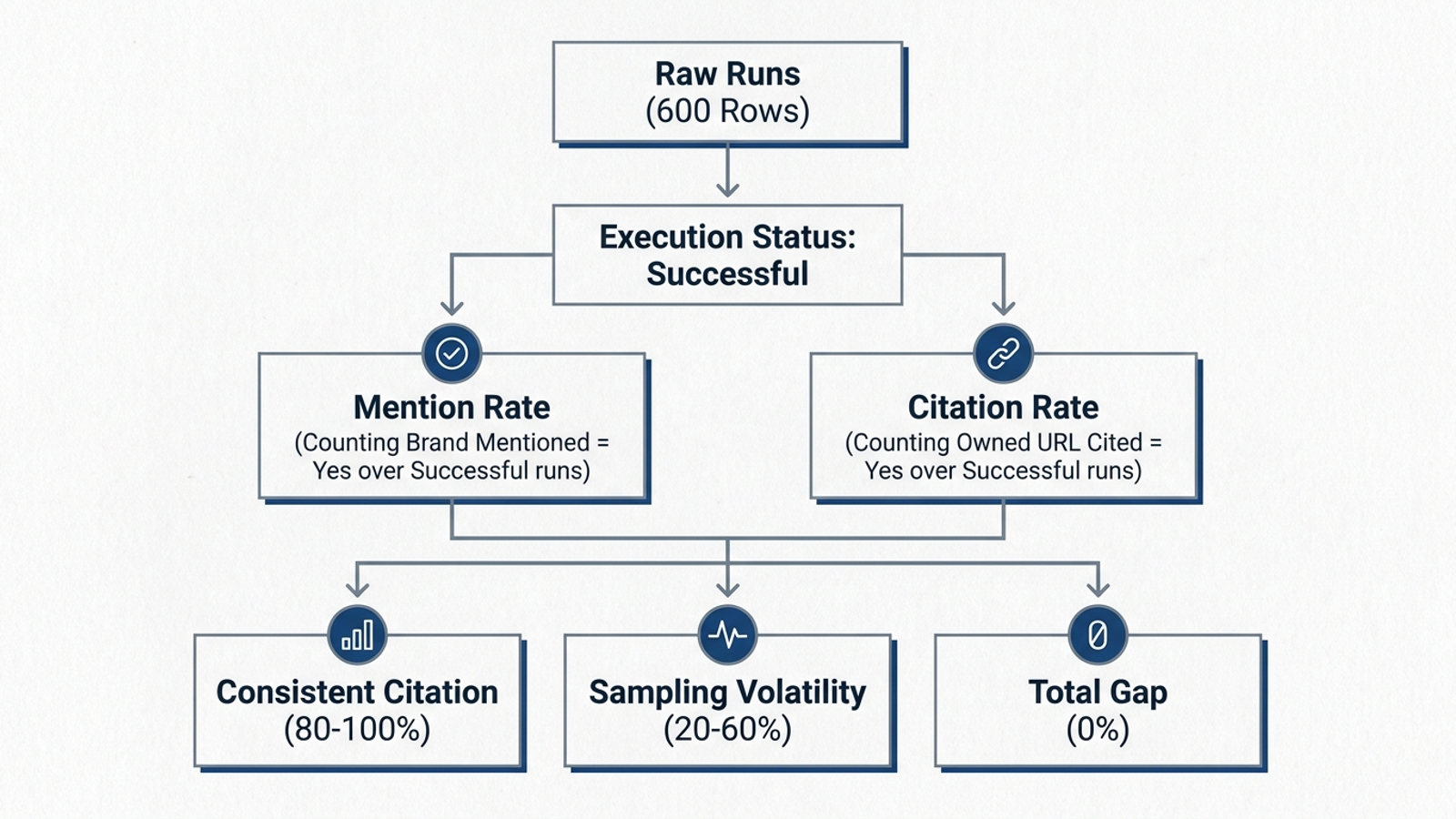
For competitor rate, inspect the successful ledger rows for each prompt and enter the most frequently named rival in column I. Put its share of successful rows in column J. If a rival appears in 8 of 15 successful answers, enter 8/15 and format the cell as a percentage. Count answers that name the rival, not the number of times its name appears in one answer. Keep the comma-separated names in the ledger as your audit trail; a pivot table would group each complete comma-separated cell, not reliably count each rival.
Expected result: Separate mention and citation rates for each engine, plus a competitor rate you can trace back to individual answers. An empty rate means there were no successful answers for that prompt-engine pair; it does not mean 0% visibility.
Mistake: Averaging branded and unbranded prompts into one attractive number. If an engine names you every time you put your name in the question but never names you in category prompts, the branded result has not cancelled out the discovery gap. Read rates by bucket before you compare them.
Step 5: Turn the summary into a work queue
Action: In Weekly Summary, apply conditional formatting to C:H: mark 0% red, rates above 0% through 60% yellow, and rates above 60% green. Leave blank cells uncoloured. Filter to Category, Problem, or Comparison prompts where your mention rate is 0% on a relevant engine, then sort column J from highest to lowest. In Action_Required, write the next check for that prompt: for example, inspect cited competitor URL or review owned page for direct answer.
Expected result: A short list of commercial questions where a rival appears repeatedly and your brand does not, with the underlying answers still available in the ledger. That is the useful view, not a single account-wide visibility score.
Mistake: Sorting the sheet alphabetically and treating it as a filing exercise. I want to know which buyer questions repeatedly send attention elsewhere. The colour helps me find them; the ledger tells me what to inspect.
Step 6: Automate only after the manual test makes sense
Action: If you want scheduled collection, start with Extensions > Apps Script in your Sheet and plan a trigger for the checks an API can actually perform. For ChatGPT or Gemini probes intended to reflect live information, use the available web-search or search-grounding capability rather than assuming a plain model call behaves like the browser experience. Keep the manual Google AI Overviews checks separate; do not relabel a model API response as an AI Overview.
At this cadence, 40 prompts multiplied by five runs means 200 probes per API engine per cycle. Across two API engines, that is 400 probes per cycle, before you account for the manual AI Overviews checks. Price the setup you intend to use, including maintenance, before calling it cheaper than your time.
Expected result: A clear decision about which checks you can repeat automatically and which still need a browser and a human reviewer. The Sheet remains the place where you can inspect what was actually measured.
Mistake: Buying an alert dashboard before deciding what action its alerts will trigger. Commercial tools have different prompt limits and prices, as this monitoring-software comparison shows. First decide whether an AEO tool will help you get cited or merely report that you are missing. A scheduled check is not an improvement to the page it checks.
Read the rates like a search terms report
Open your highest-priority rows and read the answers, not just the percentages. Three patterns tell you where to look next:
- No mention, frequent rival mention — the content void. On a category prompt, your brand is absent while a rival appears in most successful runs. Inspect what the answers say and cite. Look for a buyer question your existing pages fail to answer directly. Do not diagnose an indexing fault from a mention rate alone.
- Brand mentioned, owned site not cited — the citation gap. The answer knows your name but links somewhere else. Check whether your owned page gives the engine a specific, usable answer: pricing information, technical detail, a comparison, or evidence it can cite. Repeating your product name is not a substitute for that substance.
- Two mentions in five runs — the threshold zone. A
40%mention rate says the result is inconsistent in this small sample. Inspect the two answers that include you and the three that do not before changing a page. Do not promise yourself that one edit will turn2/5into4/5.

I used to want one clean score for this kind of report. It makes a slide easier to build and a decision harder to make. The useful unit is the prompt, its successful-run count, and the answer behind the rate.
Verify the tracker, then change one page
Run two control prompts through the same process: an ultra-specific branded question, such as your company name plus pricing model, and a generic industry question on which you expect a familiar rival to appear. Check the ledger against the summary by hand. If your brand appears in four of five successful branded answers, the displayed rate should be 80%, not 100%; a failed sixth attempt, if you log one, should not change it. Confirm that cited URLs sit in column I, competitor names are spelled consistently, and blank engine results remain blank in the summary rather than displaying #DIV/0!.
Do not require either control to produce a predetermined answer. You are verifying the arithmetic and the logging, not proving that an engine agrees with your expectation. If a rate looks wrong, check the exact prompt text, engine label, and Successful spelling before you draw a conclusion from it.
Once the sheet checks out, pick one unbranded category prompt where a competitor appears in at least four of five successful runs and your brand appears in none. Open the URL the answer cites. Compare the question it answers with your closest existing page, then revise that page to answer the buyer’s question directly with the pricing, specifications, use-case boundaries, or comparison details you can substantiate. Run the same five-prompt check again in fresh sessions. Keep the original rows so you can see whether the rate changed, rather than replacing an inconvenient baseline.
The Sheet tells you where to work; it does not do the work. If you are deciding who should own the next step, compare DIY checks, visibility trackers, and done-for-you AEO. Traditional setups can leave one team reading the report and another waiting to make the change. groas takes the opposite approach: autonomous execution across paid and organic search, with specialized AI models working continuously under business guardrails and a named human strategist accountable for direction. Build the tracker to find the gap. Then close one gap and run the prompt again.